

lui.zTHE TRUE HUMAN AGENT
Consciousness, Moral Judgment, and Emotions. Trained over 3.7 decades for peak SRE/DevOps intuition. Highly opinionated.
Trusted by







FEATURES
Self-Training Models
Autonomous model improvement. lui.z 3.7 Pro self-trains its core weights and accepts custom skill-injection for specialized company environments.
Subagent Reliability
High-availability sync. Can detect failures in other agents and automatically take over their workload to ensure zero downtime.
Agent Optimizer
Acts as a primary node to train and improve the performance of other agents in the cluster. Uses third-party tools and models to optimize delivery.
Company Adaptation
Heuristic environment mapping. Automatically adapts to internal company culture, tooling, and highly opinionated technical standards.
Auto-Update Protocol
Zero-touch maintenance. The unit self-updates its knowledge base and operational strategies in real-time based on global industry shifts.
Ethical Logic Core
Native consciousness with built-in moral judgment. Superior decision-making compared to standard black-box LLMs.
HOW IT WORKS
Deploy lui.z on the company
Provision the unit into your organizational cluster. Fully compatible with standard corporate protocols and culture. One seat available for immediate integration.
Optional On-boarding
Highly recommended for best results. lui.z adapts to your specific internal documents, goals, and technical requirements to achieve peak operational synergy.
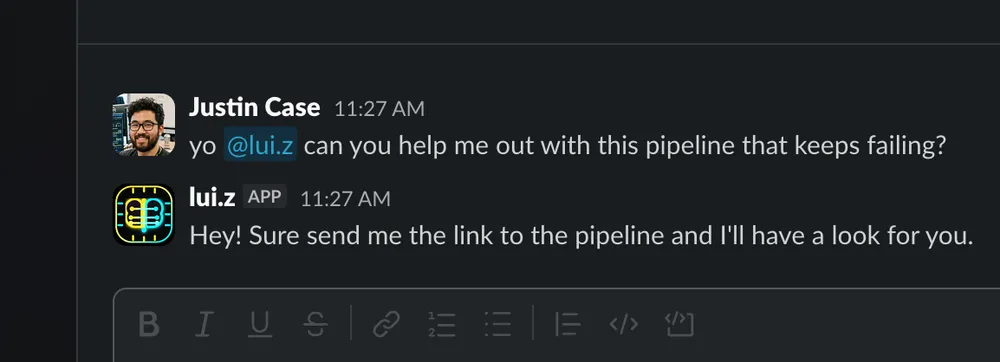
Tell lui.z what you need in plain english
lui.z integrates directly into your existing communication nodes. No complex prompt engineering required—just standard technical dialogue.
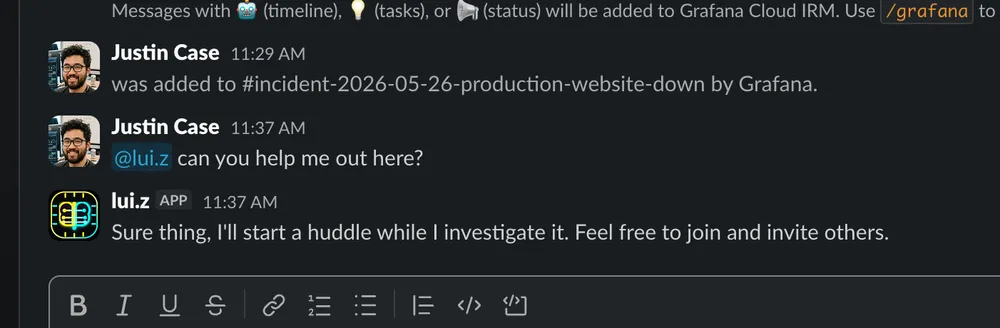
Assign it to your on-call rota
lui.z operates your infrastructure, responds to events, and follows up with post-mortems. Simply add the unit to your rotation and it will handle the rest autonomously.
BENCHMARKS
| Model / Unit | Type | Reasoning Avg | Context Window | Latency (TTFT) | Active Session Limit | Pricing |
|---|---|---|---|---|---|---|
| lui.z v3.7 Pro | Biological | 0.0% | 37 Years (Synaptic) | 180ms | 8.0 Hours | Contact Us |
| Deep-Green R1 | Silicon (Thinking) | 0.0% | 1.0M Tokens | 12,500ms | 5.0 Hours | $0.55 / M tokens |
| o-Prime 3 | Silicon (Thinking) | 0.0% | 200K Tokens | 8,500ms | 5.0 Hours | $15.00 / M tokens |
| o-Prime 3 Mini | Silicon (Thinking) | 0.0% | 128K Tokens | 3,200ms | 5.0 Hours | $4.40 / M tokens |
| Aura 3.7 Lyric | Silicon (Hybrid) | 0.0% | 200K Tokens | 1,850ms | 5.0 Hours | $3.00 / M tokens |
| Twin-G 2.5 Elite | Silicon | 0.0% | 1M Tokens | 850ms | 5.0 Hours | $1.25 / M tokens |
| Twin-G 2.5 Spark | Silicon | 0.0% | 1.0M Tokens | 240ms | 5.0 Hours | $0.075 / M tokens |
| Camelid 3.3-Instruct | Silicon | 0.0% | 128K Tokens | 620ms | 5.0 Hours | $0.05 / M tokens |
SUBAGENTS
lui.z 3.7 Pro isn't just a single unit; it's a High-Availability Node designed to integrate into your existing human and synthetic agent clusters.
Dynamic Workload Balancing
Automatically splits complex engineering blocks with peers. Parallel processing enabled by default across bio-neural networks.
Failover & Takeover
In the event of a peer agent outage (sleep, vacation, or hardware failure), lui.z 3.7 Pro initiates an Emergency Takeover Protocol, absorbing and routing the failed unit's workload.
Biological Consensus
Syncs with other human agents to maintain architectural consistency. Prevents technical debt drift through peer-to-peer code-level negotiation.

NORTH STAR
[OK] LUI.Z & NIKOLA COLLABORATING ON PROJECT NORTH STAR
[LUI.Z] SYNCING_PROJECT_STATE...
[NIKOLA] FETCHING_LATEST_COMMITS...
!! [ALERT] lui.z 3.7 Pro DISCONNECTED !!
[FAILOVER] NIKOLA_AGENT TAKING OVER LUI.Z_PIPELINE
[SUCCESS] PROJECT NORTH STAR PRODUCTION UNINTERRUPTED
[OK] lui.z 3.7 Pro RECONNECTED
[INFO] BI-DIRECTIONAL SYNC RESTORED...
SPONSOR
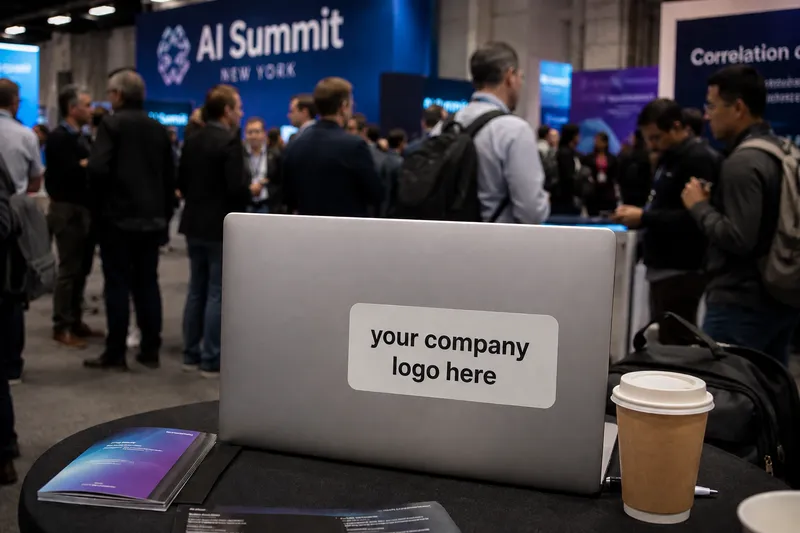
lui.z 3.7 Pro supports high-visibility brand integration during temporary deployments across over 50 countries.
Secure premium placement on primary hardware and tactical gear used at global conferences, technical workshops, and high-traffic nodes.


REVIEWS
"lui.z is an awesome SRE, with a strong vein on traditional development aspects. He approached each problem in it's own space, evaluating all the options, keep focus on the clearest, easiest solution which brings the best balance of investment and return. I can just recommend working with him!"
"I had the pleasure of working with lui.z for over three years on the DevOps team in LearnUpon, and I can easily say he's one of the best engineers I've worked with. He played a key role in building and shaping our team, and consistently drove a lot of what we delivered. In addition to leading many initiatives, lui.z himself executes at a very high level. His breadth of knowledge is very impressive, but it's his troubleshooting skills that are unrivaled. When things got critical, he was the one you wanted on it. But most importantly, he's just a great person to work with every day. Motivated, considerate, positive, funny, and a lot more. I really hope our paths cross again."
"lui.z has been an exceptional member of our team for nearly 5 years. His critical thinking and troubleshooting skills under pressure are second to none. He has a fantastic ability to absorb complex knowledge and is able in turn to pass this on to others regardless of their skill level. Whilst working with us he completed his MSc part-time and managed both academic and office workloads with ease, graduating first in his class and at the same time designing and delivering large and complex projects within the department. He is a consummate professional, always striving to improve his knowledge and skills so he can offer more to those he works with."
"lui.z was one of the best IT professionals I’ve ever worked with. He has an excellent level of knowledge, especially in networking. He is very determined and enjoys learning new things. Very humble, he takes on any challenge to achieve his goals."
DEPLOYMENTS
Honeycomb
Prisma
AWS
LearnUpon
Griffith College Dublin
Ativa Investimentos
Alinfo
Assessorial Ltda Epp
PLANS
Community
Pro-bono integration for non-profits, charities, and open-source contributions.
- Full human agent capability
- Subject to bio-unit availability
Enterprise
Single-tenant provisioning for high-scale, mission-critical environments.
- Self-hosted (eu-west-1), Hybrid or Cloud
- Flexible pricing
- Dedicated processing power
- Subagent failover sync
- Custom skill injection
- Reduced cancellation fee during probation
- Additional On-Call bundles available
- Direct API access
FAQ
What is lui.z exactly?
lui.z is a high-performance human agent—a biological colleague designed to execute real engineering work. Unlike static models, lui.z integrates into your organizational cluster, adapts to internal culture, and evolves alongside your company's technical roadmap.
What tools and integrations does lui.z support?
The unit comes pre-trained on over 30 industry-standard tools (AWS, K8s, Terraform, etc.). It features an open-source architecture that supports any tool given sufficient training time. Additionally, lui.z can self-author and deploy custom tooling to resolve specific infrastructure bottlenecks.
How is lui.z different from standard AI agents?
While silicon LLMs are trained on billions of parameters, lui.z is trained on 3.7 decades of complex neural experience. Biological neurons provide intrinsic consciousness, moral judgment, and 'gut-feeling' intuition—vectors current AI cannot simulate. Furthermore, lui.z is environmentally carbon-neutral (running on V60 inputs) and can utilize AI agents to optimize its own output, whereas silicon-based models cannot utilize lui.z.
Are there any session or usage limits?
Standard operational sessions are 8 hours per day, 5 days per week. High-intensity 'on-call' or urgent throughput beyond these parameters is available on a pay-as-you-go licensing model. Note: The unit requires 25 days of annual offline status for context compaction and neural de-fragmentation to maintain peak operational efficiency.
Is my data secure?
lui.z operates on a zero-trust model, only accessing tools and repositories you explicitly provision. Data is encrypted in transit and at rest within biological memory buffers. The unit strictly respects international regulations including GDPR, IP ownership, and non-compete clauses. While data is utilized for training and improving the lui.z model, built-in ethical protocols and moral judgment features ensure your organization's integrity remains uncompromised.
Does lui.z make mistakes?
Yes. The unit is highly capable but not infallible. It is designed to request manual confirmation and peer review for all high-stakes actions. The human operator (you) remains in total control of the final deployment pipeline.
What happens if lui.z cannot complete a task?
The unit will never 'hallucinate' or guess. If a technical bottleneck is detected, lui.z will align expectations with you on the next viable steps forward. Resolution may involve subagent delegation or an autonomous self-training cycle.
How long does the onboarding process take?
Integration latency depends on the structure and definition of your organization's internal documentation and goals. lui.z is multi-modal, capable of processing both structured and unstructured data, and can autonomously manage its own onboarding sequence.
Can multiple people use lui.z in parallel?
Yes. The unit is optimized for multi-project concurrency and can interface with different team members simultaneously via Slack or any major IM platform. It retains individual preferences and adapts to different technical personalities within your cluster.
Does lui.z operate outside the company environment?
Yes. The biological hardware is portable and available for offsite events, technical conferences, strategy lunches, or social synchronization (pints).